

 ไทย
ไทย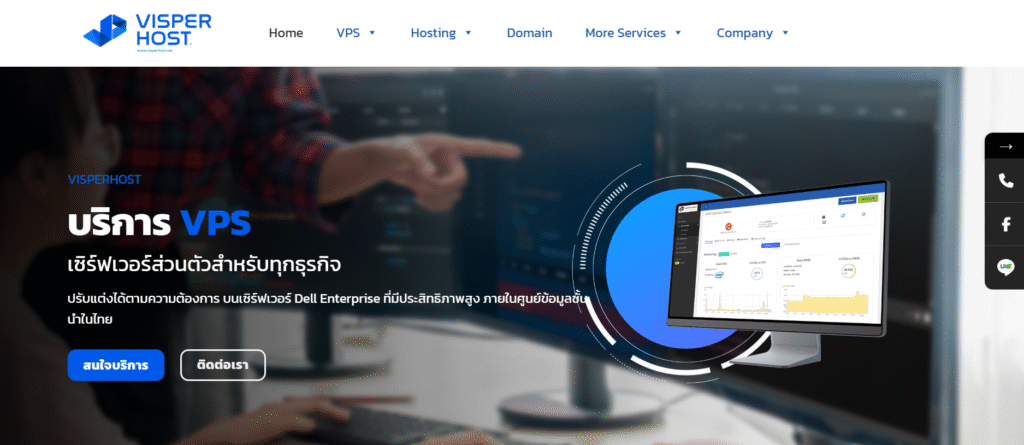
1. Go to the order website.
Visit the website www.visperhost.net and select the service you wish to use. We offer the following services:
- Cloud VPS Windows / VPS Linux
- Forex VPS
- Web Hosting
- Reseller Hosting
- Domain
- Game Server Hosting
- DirectAdmin and Softaculous License
- Dedicated Server
2. Select the package you want and click the “Order Now” button.
Click on the service you are interested in, and the system will display the details of various packages for you to choose from according to your needs, such as CPU size, RAM, storage space, and supported operating systems.

3. Customize and configure service settings
After selecting a package, you can customize various settings according to your needs, such as choosing the duration of use (monthly or yearly) and additional services that may be available. Then click Continue.

4. Register or log in.
The system will take you to the registration/login page. If you do not have an account with VisperHost, you will need to register by filling in your personal information, such as your name, email address, and password. If you already have an account, you can log in immediately. Then click.

5. Review and confirm the order.
The system will display a summary of all your orders for you to review and confirm before proceeding to payment. If everything is correct, click “Pay” to continue to the next step.

6. Pre-Payment Steps
Click to select Standard Payment and check the box to accept the Terms of Service to begin the order process.

7. Service Invoice Issuance System for Email Delivery
After clicking the purchase button, the system will send an invoice to your email. You can make payment using the following methods:
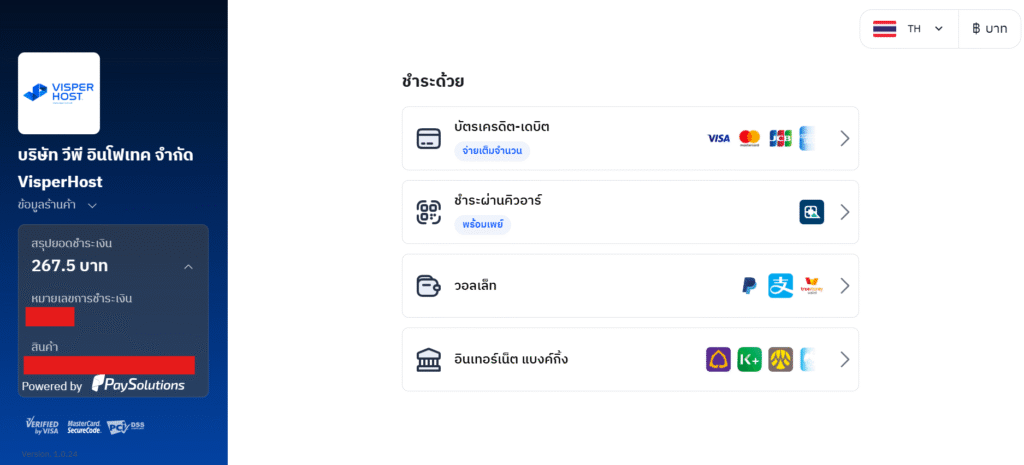
7.1 Payment via the automated system:
VisperHost supports a variety of payment methods, including QR Payment, bank transfer, internet banking, credit card, PayPal, and other methods specified in the payment process.


7.2. Direct Bank Transfer
| Bank | Account Number | Account Name | Branch |
| Siam Commercial Bank (SCB) | 433-196633-9 | VP Infotech Co., Ltd. | Big C Kheha Rom Klao |
- After making the payment, please notify us by attaching proof of payment and sending it to [email protected].
- In the case of withholding tax, the deduction can be applied immediately against the payment amount, and please notify us via LINE @visperhost or email [email protected].
8. Receive information via email and start using.
After successful payment, the system will proceed to set up your service, and you will receive access information via the email you registered.
*In the case of payment through the website system, the system will activate automatically. For direct bank transfers, you will need to wait for staff confirmation of payment.
Withholding Tax and Request for Tax Invoice
1. Request for Tax Invoice
- Customers can download a copy of their tax invoice (PDF) by themselves through the system at client.visperhost.net
- If you require an original tax invoice, please contact our staff through one of the following channels:
- Line: @visperhost
- Email: [email protected]
- Please provide the following information for issuing a tax invoice:
- Company Name / Individual
- Address
- Taxpayer Identification Number
- The tax invoice will be sent via email through the e-Tax Invoice by Email system within 1–7 business days.
2. Withholding Tax
If the payment for goods or services exceeds 1,000 baht, the customer may deduct withholding tax according to the following conditions:
Tax Withholding Rate
- Government Agencies: Withhold 1% tax at source.
- Juristic Person: Withhold tax at source 3%
Information for Issuing a Withholding Tax Certificate
Company Name: VP Infotech Co., Ltd. (Head Office)
Address: 100/30 Sathorn Nakhon Tower, 19th Floor, Sathorn Nai Road, Si Lom Subdistrict, Bang Rak District, Bangkok 10500
Registration Number of Legal Entity: 0105567196937
Document Submission Procedure
- Please scan or take a photo of the withholding tax slip and send it to the email address.
[email protected] For verification first. - After confirmation, please send the original documents by mail to:
VP Infotech Co., Ltd. (Head Office)
100/30 Sathorn Nakharin Tower, 19th Floor
Sathorn Nua Road, Si Lom Subdistrict, Bang Rak District, Bangkok 10500
📞 Contact VisperHost
If you have any questions or need further assistance, please contact us through the following channels:
- Line: @visperhost
- Email: [email protected]
- Phone: +66 02-474-0009
- Facebook: VisperHost.Net
