

 ไทย
ไทย
In the world of computers, the term “RAM” is one of the most frequently heard words, whether in conversations about choosing a computer, smartphone, or even various electronic devices. Additionally, RAM plays a crucial role in large-scale systems such as servers (Server) and virtual servers. ( VPS – Virtual Private Server) as well, because whether it’s a personal computer or a large network system, RAM serves as an intermediary for storing temporary data to support fast and efficient processing.
The meaning of RAM
RAM, or Random Access Memory, is the primary memory used by computers and electronic devices to store temporary data while the system is in operation. RAM has the ability to read and write data quickly, enabling instant processing.
A key characteristic of RAM is that when the device is turned off, all stored data is lost, unlike permanent memory such as hard disk drives (HDDs) or solid state drives ( SSDs ), which can retain information even without power.
Types of RAM
RAM can be categorized into several types based on its operational characteristics and applications, the main ones being:
1. DRAM (Dynamic Random Access Memory)
DRAM is a type of RAM that requires continuous data refresh to maintain information, due to the leakage of electrical charges in memory cells. It is the most commonly found type in computers and laptops.
Properties of DRAM
- Low price
- High density
- Uses less energy than other types.
2. SRAM (Static RAM)
SRAM is a type of RAM that can retain data without needing to be refreshed frequently. It is faster than DRAM but more expensive.
Properties of SRAM
- Faster than DRAM
- Use more energy.
- Expensive
3. SDRAM (Synchronous Dynamic Random Access Memory)
SDRAM is an advancement from DRAM, synchronized with the system clock to work more efficiently with the processor.
Advantages of SDRAM
- High speed
- Good response to circadian signals
4. DDR SDRAM (Double Data Rate Synchronous Dynamic Random Access Memory)
DDR SDRAM can transfer data twice in one clock cycle, resulting in higher speed than ordinary SDRAM. Currently, it has been developed up to DDR5.
DDR versions
- DDR1
- DDR2
- DDR3
- DDR4
- DDR5
The Role of RAM in Computer Systems
The primary function of RAM is to enable the fast and smooth operation of programs and operating systems, particularly in the following processes:
- Temporary data storage required by programs and systems
- Supports the processor’s operation in data processing
- Reduce access to permanent memory, which is significantly slower than RAM.
- Supports multitasking for simultaneous use of multiple programs.
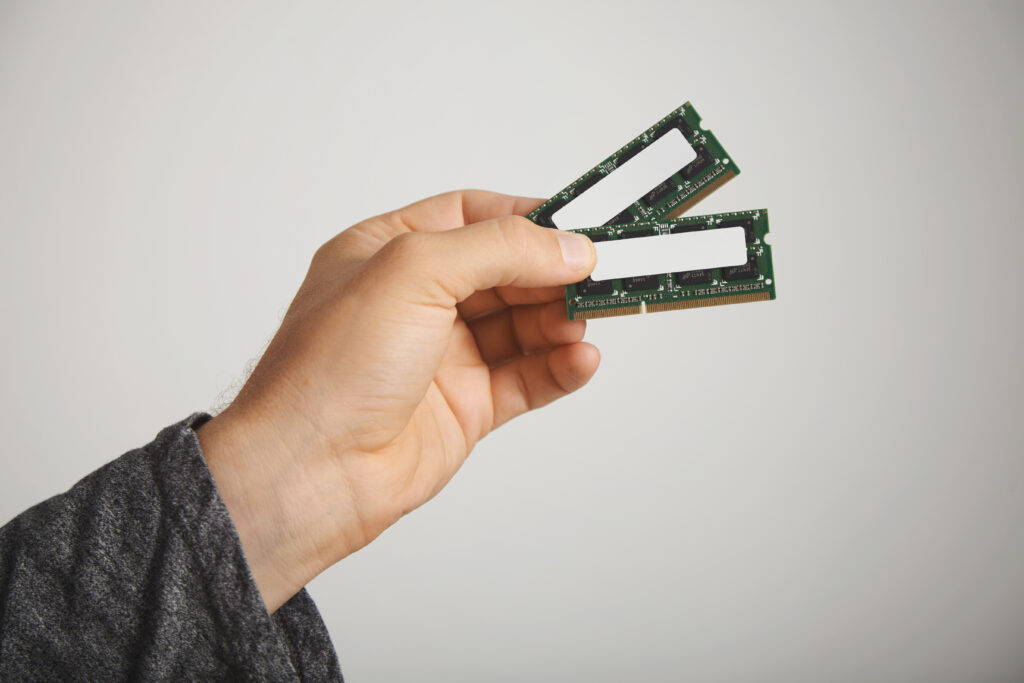
Internal Structure of RAM
RAM consists of many small memory units called “cells.” Each cell can store 1 bit of information, which consists of:
- Transistor: Controls data reading/writing
- Capacitor: Stores electric charge to retain bit data
This structure enables high RAM speed but also requires a constant power supply to maintain operation.
The difference between RAM and ROM
| Topic | RAM | ROM |
|---|---|---|
| Full Name | Random Access Memory | Read-Only Memory |
| Data Collection | Temporary | Permanent |
| Data Writing Capability | Able to write and read. | Mainly for read-only use. |
| Data Deletion | Data is lost when the device is turned off. | The information has not been lost. |
| Example of usage: | Used for storing data during program operation. | Back up the BIOS or firmware. |
The Importance of RAM in Real-World Applications
Having sufficient RAM directly affects:
- Program startup speed
- Ability to use multiple programs simultaneously
- Overall machine performance
- A smooth gaming or video editing experience.
For example, if you have too little RAM, your computer may run slowly or freeze frequently, especially when running multiple programs simultaneously.
Choosing the Right RAM
Factors to Consider
- Capacity: 8GB is the minimum for general use, 16GB or higher for heavy tasks
- Speed: Select the maximum speed supported by the motherboard.
- Type: For example, DDR4 or DDR5, depending on the motherboard model.
- Brand and Quality: Choose a reputable brand with a good warranty.
Additional Recommendations
- Check compatibility with the motherboard before purchasing.
- Consider using Dual-Channel RAM to enhance performance.
- Consider future usage to allow for upgrades.
RAM Maintenance and Optimization
How to Care for Your RAM
- Avoid pulling the RAM while the computer is running.
- Clean the slots and circuit boards with a dust brush.
- Regularly update the BIOS and motherboard drivers.
RAM Optimization
- Use a memory management program.
- Reduce the number of programs that run when the computer starts up.
- Add RAM if your device has available slots and supports it.
Trends and Future of RAM
The memory industry is continuously developing, for example:
- The arrival of DDR5 with high speed and improved energy efficiency
- Research on MRAM (Magnetoresistive RAM) and RRAM (Resistive RAM) as potential replacements for DRAM and SRAM
- Efforts to develop RAM with higher capacity and speeds that support AI and 5G technologies
Frequently Asked Questions About RAM
Does more RAM make the computer faster?
It depends on usage. If you have low RAM, adding more RAM will significantly improve performance. However, if you already have sufficient RAM, adding more may not result in noticeable improvements.
What is the difference between RAM and VRAM?
RAM is the main memory of the device, while VRAM (Video RAM) is a specific type of memory dedicated to the graphics card, used exclusively for storing graphic data.
Is high-speed RAM necessary?
For general users, mid-speed RAM is sufficient. However, for gaming or heavy graphic tasks, high-speed RAM will provide better performance.
Does RAM have a lifespan?
In general, RAM has a long lifespan of several years and typically experiences fewer issues compared to other components of a computer.
Summary:
RAM is a crucial component that determines the overall speed and performance of computers, smartphones, and even server systems. Understanding its functions, types, and proper selection is essential for maximizing the performance of your devices. Whether you use your device for general tasks, gaming, or high-performance graphics or server work, choosing high-quality RAM that meets your specific needs is a key factor in ensuring smooth, seamless operation and long-term reliability.
